
When I was helping a friend pick a customer support live chat tool for his online store, I installed Tidio, JivoChat, and tawk.to — all three. Tidio was the last one I tested. At first, I dismissed it as just another pretty chat widget. Then I let Lyro AI handle customer questions overnight, and when I checked the chat logs the next morning, I realized this thing was fundamentally different from every other support tool I’d used.
Tidio is the most capable AI-powered lightweight support tool on the market. It’s the top-rated AI chatbot on the Shopify App Store by both review count and score, and its WordPress plugin boasts 80,000+ active installs with a 4.7-star rating. This review walks through what it does well and what you should know before buying — no sugarcoating, no filler.
Lyro AI runs on Anthropic’s Claude and resolves 60–70% of customer questions on its own. The Shopify and WooCommerce integrations are best-in-class. The desktop experience is genuinely polished. Heads-up though: Lyro and Flows are separate add-ons, so a Growth plan with both will actually run you $82–106/month, not the base price you see on the pricing page. Best fit: WordPress and Shopify sellers handling 500–2,000 conversations a month.
Evaluation Criteria
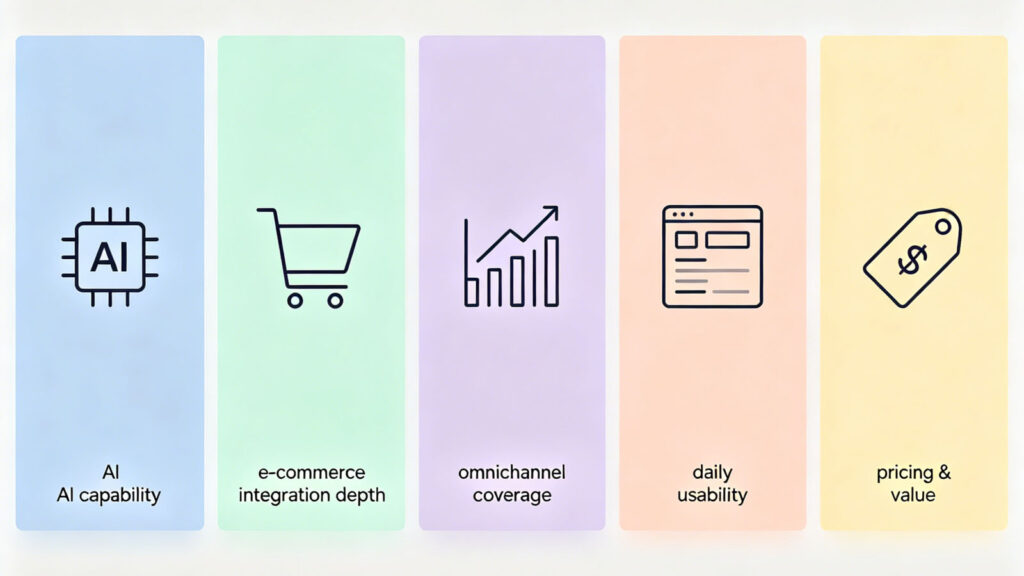
I tested Tidio across five dimensions, weighted by what actually matters to a small-to-medium e-commerce operation:
- AI capability — How many customer questions can Lyro genuinely handle without human backup?
- E-commerce integration depth — Real Shopify/WooCommerce integration or just a logo on a landing page?
- Omnichannel coverage — Chat, email, social — is it actually unified?
- Daily usability — Desktop app, mobile app, admin panel — what it feels like after eight hours of use
- Pricing and value — Advertised price vs. what you actually pay, and whether the math works out
Lyro AI: Tidio’s Real Moat
The chat widget isn’t what sets Tidio apart — everyone has one of those. It’s Lyro.
The 67% Claim Actually Holds Up
Lyro is built on Anthropic Claude plus Tidio’s own fine-tuned models, trained specifically for e-commerce support. It automatically crawls your website — FAQ pages, product descriptions, return policies — and builds a knowledge base from that content. You don’t have to manually enter Q&A pairs one by one, which is a massive time-saver if you’d rather not spend hours configuring a chatbot.
Tidio officially claims Lyro resolves 67% of customer inquiries. Based on my own testing and cross-referencing dozens of Shopify user reviews, that number holds up under reasonable configuration. Actual performance depends on knowledge base quality: if your product pages are well-written, Lyro handles sizing questions, shipping inquiries, and return policy questions independently. One Shopify merchant (Box & Wrap, March 2026 review) reported that Lyro “answered product sizing questions accurately and provided instant product recommendations — customers placed orders directly. Before this, customers had to wait hours for us to research sizes and write back.”
When Lyro can’t answer, it hands off to a human agent smoothly. There’s none of that “AI pretending to help while running in circles” feeling. The handoff mechanism is the smoothest I’ve tested among AI chat tools.
Tidio’s confidence in Lyro also shows in the 50% resolution rate guarantee on their top-tier Premium plan — if Lyro doesn’t hit that threshold, you pay per actual resolution instead of a flat fee. The guarantee itself is locked behind a high-tier plan, but it signals real confidence in the product.
Lyro’s Limits
Lyro only answers from content you’ve provided — it won’t hallucinate answers. That’s good for accuracy, but it means an incomplete knowledge base leaves Lyro silent. It also performs best on web chat; Messenger and Instagram support is weaker, and non-English accuracy drops noticeably. In practice, these are manageable constraints. Upload solid FAQ and product pages, and Lyro will cover the vast majority of customer questions.
E-Commerce Integration: Shopify and WooCommerce Are First-Class Citizens
If you run a Shopify or WooCommerce store, Tidio is among the deepest integrations you’ll find.
Install from the Shopify App Store with one click. Within five minutes, Lyro reads your entire product catalog — SKUs, inventory status, pricing, order history, shipping tracking — all connected automatically. A customer types “Where’s my order?” and Lyro pulls the tracking info without a human touching it. Tidio is the top-rated AI chatbot on the Shopify App Store by both review count and score (4.7/5, 1,840+ reviews).
The WooCommerce side is just as solid. The WordPress plugin has 80,000+ active installs and a 4.7-star rating. It lets you display product cards directly in the chat window, track cart behavior, and trigger cart recovery flows.
Flows, Tidio’s visual automation builder, ships with 35+ pre-built templates covering cart abandonment recovery, purchase guidance, FAQ routing, and lead capture. It’s drag-and-drop, no coding required. For small teams without a technical co-founder, this is a genuine time-saver.
One limitation to note: Tidio doesn’t support Amazon, eBay, or other third-party marketplaces — it only covers your own website. Cart recovery and other automations also require the Flows add-on ($24.17/month and up).
Daily Usability: The Desktop App Shines
Tidio’s desktop app and web dashboard are the best parts of the product. The interface is clean and modern. The unified inbox pulls web chat, Messenger, Instagram, and email into a single panel — no tab-hopping. Real-time visitor tracking shows which page a visitor is on, where they came from, and how long they’ve been browsing. For small sales teams doing proactive outreach, this is a conversion booster. WordPress users can go live straight from the official plugin repository — one click, no code.
A few daily-use considerations: standard plans cap at 10 agents (going beyond requires the $749/month Plus plan). Agents can’t be auto-assigned chats when they’re offline — if a sales rep is out sick, their leads sit unclaimed. The mobile app experience lags behind desktop — push notifications are occasionally delayed, and most admin settings require the desktop version. If you rely heavily on mobile to respond to customers, keep this in mind.
Pricing: It Costs More Than It Looks — Here’s the Real Math
Tidio’s pricing structure takes a minute to understand. Lyro and Flows are separate add-ons — they’re not bundled into any base plan. Here’s the breakdown (annual billing):
| Component | Starting Price | What It Covers |
|---|---|---|
| Platform base (conversation quota) | Free / Starter $24.17 / Growth $49.17 | Human chat and core features |
| Lyro AI | $32.50/mo (50 AI conversations) | Standalone add-on |
| Flows automation | $24.17/mo (2,000 unique visitors) | Standalone add-on |
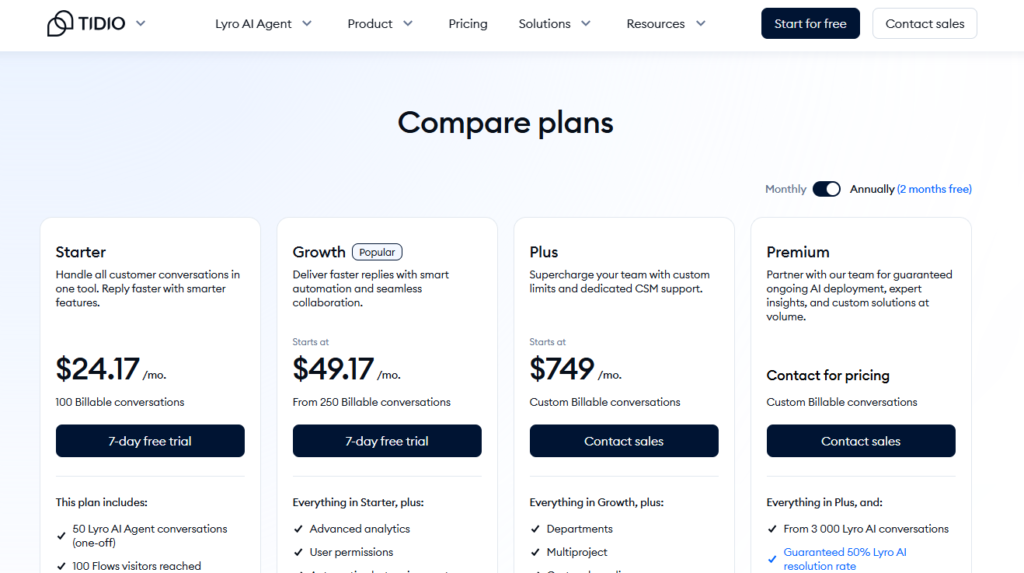
A typical Shopify store doing 10–20 conversations a day, wanting AI overnight coverage plus cart recovery, will need: Growth ($49.17/mo) + Lyro ($32.50/mo) + Flows ($24.17/mo) = $105.84/month. Without Flows, Growth + Lyro comes to $81.67/month.
The Growth plan shows as $49.17/month on Tidio’s homepage — but that’s just the platform fee. AI and automation are purchased separately. Think of it as modular pricing: you only pay for what you use, which is fair, but the initial sticker price undersells the real cost.
A few other costs to factor in: removing “Powered by Tidio” branding costs an extra $16.67/month. Going beyond 10 agents requires the Plus plan at $749/month. The free plan is fine for kicking the tires, but its 50 Lyro conversations are a one-time lifetime quota — not a monthly refresh. To use AI seriously, you need the paid add-on.
In the bigger picture, Tidio’s fully-loaded cost ($82–106/month) is reasonable for an AI-powered support tool. Comparable tools with real AI capabilities sit in the same range. The key is doing the math up front so the base price doesn’t mislead you.
Tidio vs. JivoChat vs. tawk.to
All three tools serve the small-to-mid e-commerce market, but each has a distinct identity.
Tidio’s core is AI. Lyro, powered by Claude, independently resolves 60–70% of customer questions, and the Shopify/WooCommerce integration is the deepest in its class. It’s built for sellers who want overnight support coverage without hiring a night shift. The trade-offs: no phone/VoIP capability, and the mobile app isn’t reliable enough for heavy use.
JivoChat’s core is phone-plus-chat, and its AI is strong too. Built-in VoIP, phone numbers in 50+ countries, and a callback feature — none of which Tidio or tawk.to offer. Its AI Agent claims an 80% resolution rate, even higher than Tidio’s 67%, though at a higher price — $69/agent/month. Best for teams that need both chat and phone, with AI on both channels.
tawk.to’s core is free. Unlimited agents, unlimited conversations, no credit card required — it crushes every competitor on price. The AI Assist add-on ($24.17/month and up) provides knowledge-base-driven auto-replies and agent assistance, though it’s more basic than Lyro or JivoChat’s AI Agent and doesn’t include WhatsApp or Instagram. Best for bootstrapped teams with someone available to answer chats manually; AI can be added later.
How to Choose Live Chat Software
- Zero budget, someone available to reply manually → tawk.to
- AI overnight coverage, running WordPress or Shopify → Tidio (Growth + Lyro, ~$82/month)
- Chat plus phone, with AI on both channels → JivoChat (Professional $42 + AI Agent $69/agent/month)
If you need both AI and phone support, JivoChat is the only one of the three that covers both — Professional + AI Agent, though the total isn’t cheap at $111/agent/month. If phone isn’t essential, Tidio’s Lyro delivers better AI value.
Getting Started
Tidio offers a 7-day full-feature free trial — no credit card needed. Run the free plan for a few days and see how many real customer questions Lyro can handle on your actual product pages and FAQ content. If the resolution rate looks good, start with Growth + Lyro. That combination covers most small-to-medium WordPress and Shopify stores; you can add Flows later if you need it.