
The most underrated capability in Claude Code is not how fast it writes code. It is that you can run many of them at once. Once you learn to work in parallel, your model shifts from “me plus an AI” to “me directing a team of AIs.”
Why You Would Open That Many Windows
Boris Cherny’s daily setup: 5 Claude Code instances running locally in separate Git checkouts, plus 5 to 10 more sessions on claude.ai/code in the browser. Each one working on a different task. One writes a new feature, one fixes a bug, one writes tests, one refactors, one does code review. All at the same time.
I thought this was overkill until I tried it. It is not showing off. It is Boris’s number one productivity recommendation: do more work in parallel.
The reason is straightforward. Claude Code’s work pattern is: you give a task → Claude spends a few minutes executing → you review the result → you give the next task. There is significant waiting time in between. With one session, you spend most of your time waiting for Claude. With five sessions, while you review the first one’s output, the other four are still running. Your wait time drops to nearly zero.
The critical prerequisite: each session needs an isolated code environment. Otherwise they overwrite each other’s files and create conflicts. This is exactly the problem Git Worktrees solve.
Git Worktrees: The Infrastructure for Parallel Work
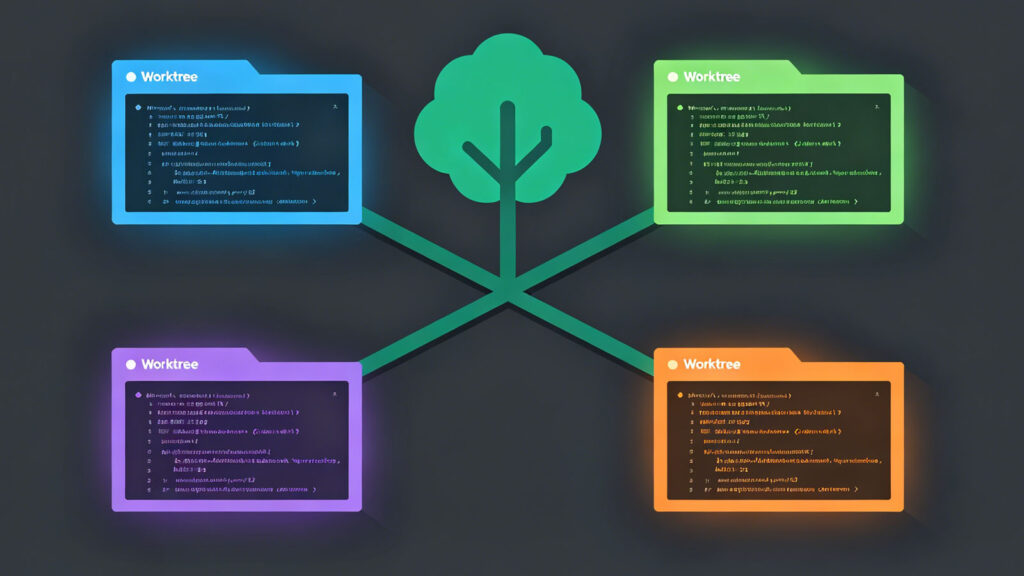
A Git Worktree lets you create multiple working directories from a single repository. Each directory is on a different branch with complete filesystem isolation. Claude Code has native support:
# Start a Claude session in an isolated worktree
claude --worktree

# Start in a Tmux session (runs in the background)
claude --worktree --tmux
Every time you run claude --worktree, Claude Code creates a new worktree, switches to a new branch, and works in that isolated environment. When you are done, merge the branch back.
Tmux integration. Add --tmux and the session launches in a Tmux window. Set up shell aliases to jump between them:
alias za="tmux select-window -t claude:0"
alias zb="tmux select-window -t claude:1"
alias zc="tmux select-window -t claude:2"
za jumps to the first session, zb to the second, and so on. If you use the Desktop App, there is a worktree checkbox — no manual Tmux configuration needed.
Subagents: Calling a Specialist
Parallel sessions handle independent tasks well. But sometimes you do not want a new window — you want to call in a specialist for a specific part of your current task. That is what Subagents do.
Drop a .md file in .claude/agents/ to define a subagent:
.claude/agents/
├── security-reviewer.md    # Security audit specialist
├── code-simplifier.md      # Code simplification specialist
├── verify-app.md           # App verification specialist
├── code-architect.md       # Architecture design specialist
Each agent file can define a custom name, tool permissions, permission mode, and even the model it uses. A security reviewer agent can be configured with read-only access — it can audit code but never modify it — and set to use a model with stronger reasoning.
The core value of subagents. Subagents are not primarily about specialization. They are about independent context. Each subagent runs in its own context window, consuming none of the main session’s context space. When your main session’s conversation is long and context is nearly full, calling a subagent for a subtask is like opening a fresh thinking space — it does not squeeze the main session’s capacity.
You can even add “use subagents” to your prompt to let Claude decide when to delegate. This causes Claude to invest more compute in complex tasks.
A practical subagent combination: a security-reviewer that auto-triggers on any code touching authentication, permissions, or data storage, plus a verify-app that launches the app and validates functionality after every change. These two cover the most common verification needs: “is it written correctly?” and “does it actually run?”
Agent Teams: Let Them Coordinate Themselves
Worktrees let you manually manage parallel sessions. Subagents let a main session call a specialist. Agent Teams go further: multiple sessions can communicate with each other and coordinate their own division of labor.
Agent Teams launched in February 2026. It is currently Claude Code’s most powerful collaboration mode. The core idea: you do not coordinate the agents — they coordinate themselves.
Writer/Reviewer pattern. The classic setup: one agent writes code, another reviews it. The Writer implements the feature — writes the code, runs the tests. The Reviewer audits the Writer’s output, flags issues, and suggests improvements. The Writer then revises based on feedback, forming an iterative loop.
This pattern produces noticeably better results than a single agent. The reason is the same as with human teams: the person writing code gets locked into their own approach. A reviewer sees it from a different angle and catches things the writer missed. Two agents watching each other — the quality lift is tangible.
Test-driven pattern. Another effective setup: one agent writes the tests, another writes the implementation. The test-writing agent first defines “what correct behavior looks like” based on the requirements. The implementation agent then writes code to satisfy those tests. This is AI-powered TDD.
Agent Teams automatically share task status and messages between agents. You do not manually copy-paste information between them. A team lead role coordinates the division of labor and tracks progress.
Coordinator Mode: four-phase orchestration. Under the hood, Agent Teams use a more refined coordination mechanism. Complex tasks automatically flow through four phases: Research (multiple workers investigate the codebase in parallel), Synthesis (a coordinator combines findings into a specification), Implementation (workers make precise changes according to the spec), and Verification (results are validated). You do not configure this flow manually — Agent Teams decide based on task complexity whether to run the full four-phase process.
Fan-Out Batch Processing: AI-Style Mass Parallelism
The previous patterns handle a few agents collaborating on one task. Fan-out solves a different problem: the same operation needs to run across a large number of files.
Non-interactive mode. Claude Code accepts a -p flag for scriptable, non-interactive execution:
claude -p "Migrate this file from JavaScript to TypeScript"
Combine with a shell loop for batch processing:
for file in $(cat files-to-migrate.txt); do
    claude -p "Migrate $file from JS to TS" \
    --allowedTools "Edit, Bash(git commit *)" &
done
Note the & at the end: each Claude instance runs in the background. Fifty files to migrate? Fifty Claudes running simultaneously. What would have taken a full day finishes in minutes.
The /batch command. If you prefer not to write shell scripts, Claude Code provides /batch. Tell Claude what you want — “migrate all React class components to function components.” Claude analyzes the project, lists every file that needs changing, you review and confirm, and Claude launches dozens of agents to execute in parallel. When they finish, Claude summarizes successes and failures. You only handle the few that failed.
This pattern is ideal for large-scale refactors, code migrations, and batch fixes. One person plus Claude equals what would take an engineering team a week of migration work.
You Do Not Have to Watch
Everything described so far runs in your local terminal. But Claude Code also supports remote and asynchronous execution.
Remote Control generates a connection link. Open it on your phone to create and manage Claude sessions on your local machine remotely. Useful for starting a task during your commute or kicking off a job before you leave home.
Claude Code on Web runs entirely in your browser at claude.ai/code. No local installation needed — ideal if your dev environment is in the cloud.
/schedule sets up recurring cloud tasks. “Check for outdated dependencies and create PRs” runs on schedule even when your computer is off. Daily maintenance — dependency updates, security scans, report generation — all automated.
/loop runs Claude locally for up to 3 days unattended. Long-running tasks like CI monitoring or integration test suites keep running while you do other things.
The mental shift: traditional development is synchronous. You write code, run tests, wait for results. In async mode, you start a batch of tasks before bed and review results in the morning. AI becomes your night-shift team. You define the direction and make decisions during the day; they execute while you sleep.
How Anthropic Uses It Internally
Anthropic published a whitepaper on how their own teams use Claude Code. A few highlights:
The data infrastructure team uses Claude Code to debug Kubernetes clusters. When a pod fails, Claude reads the logs, analyzes the error stack, locates the root cause, and suggests fixes. What used to take a senior engineer hours of investigation, Claude does in minutes.
The security team uses Claude Code to trace complex control flows. Security audits require tracking a request from entry point to database — extremely time-consuming to do manually. Claude traces the path automatically and generates call-chain diagrams.
The marketing team uses Claude Code to generate ad creative variations. A single campaign needs dozens of copy and asset combinations. Designers and copywriters used to spend days iterating. Now Claude generates them in batch, and humans only select and refine.
But the most striking case is from the legal team: a lawyer — not an engineer, someone who had never written code — built a phone tree system from scratch with Claude Code. Calls come in, the system routes them to the right legal advisor automatically. Built and deployed. Claude Code’s audience has already expanded beyond engineers.
Lessons from Doing It Myself
Start with two sessions. Do not try to run ten on your first day. Get comfortable switching between two: one for your main task, one for auxiliary work like writing tests or doing code review. Add more when it feels natural.
Give each session a clear role. Do not let all sessions be “do whatever.” Define their scope: this one handles the frontend, that one handles the backend, that one only runs tests. The clearer the roles, the easier they are to manage.
Isolate everything with Git branches. Every session works on its own branch. Merge via PR. Never let multiple sessions touch the same branch — I tried it once and the merge conflicts were genuinely soul-destroying.
Check in regularly. Parallel does not mean hands-off. Every 15 to 20 minutes, scan each session’s progress. Catch a derailed session early and stop it — far cheaper than letting it finish and redoing everything.
Boris’s summary captures it well: think of parallel work as managing a remote team. You do not watch every person write every line of code. But you do know what everyone is working on, how they are progressing, and whether anything is stuck. Your job shifts from writing code to doing project management.