

Theory only gets you so far. This chapter is all hands-on. You will build a real CLI tool from scratch. By the end, you will understand what conversational programming actually feels like.
What We Are Building
A daily AI news aggregator. It is a CLI tool that does three things: pulls the latest articles from a few RSS feeds, uses AI to summarize each one, and outputs a formatted Markdown report.
Why this project? It is small enough to finish in an afternoon, but complete enough to touch networking, data processing, AI calls, and file output. One project, and you will have sampled virtually every Claude Code capability.
Before we start, one mindset shift: from here on, you are the product manager and Claude is your engineer. Your job is to describe what you want, not to write code. Even if you are a senior developer, try it this way first.
Step 1: Describe What You Want
Open a terminal, create an empty directory, and start Claude Code:
mkdir ai-news-digest && cd ai-news-digest
claude
Now describe what you want in plain language:
Build me an AI news aggregator CLI tool. Requirements:
- Fetch articles from the last 24 hours from these RSS sources:
- TechCrunch AI (https://techcrunch.com/category/artificial-intelligence/feed/)
- The Verge AI (https://www.theverge.com/rss/ai-artificial-intelligence/index.xml)
- Hacker News top 30 (https://hnrss.org/newest?q=AI&count=30)
- Extract title, link, publish time, and source for each article
- Sort by time, newest first. Output a Markdown report to an
output/directory- Use TypeScript, run with
tsxDo not start coding yet. Give me an implementation plan first.
That last sentence is not a courtesy. It is a key technique: make Claude think before it acts. The quality of your requirements directly determines the quality of the output. Be specific about the final deliverable, pick the tech stack, and give concrete URLs instead of saying “a few RSS feeds.”
Step 2: Review the Plan
Claude will not jump straight into code. It will present a plan first. You will see something like: a proposed project structure with src/index.ts, src/fetcher.ts, src/formatter.ts, and src/types.ts; a tech breakdown using rss-parser, Node’s built-in fetch, and date-fns; and an implementation flow of fetching, filtering, sorting, and writing the report.
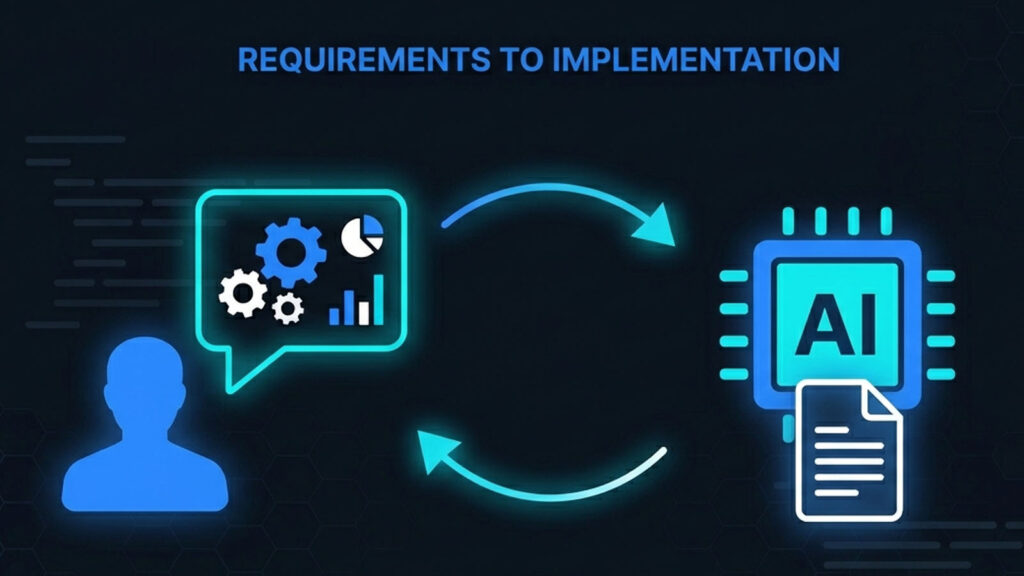
Now you act like a product manager reviewing an engineering proposal. If the plan looks good, say so. If you want changes, just say them:
Plan looks good. Two additions:
- Add a one-sentence summary for each article — pull the first 100 characters from the description field
- Add a stats line at the top of the report: “Collected X articles from Y sources”
This back-and-forth is the heart of conversational programming. Claude proposes, you refine, Claude adjusts. No diagrams, no tech specs, just plain language.
Step 3: Watch Claude Work
Once you confirm the plan, Claude starts executing. You will see it initialize the project, install dependencies, create source files one by one, and run tests. If something breaks, Claude reads the error, diagnoses the problem, fixes the code, and tries again — all on its own. The whole process takes about 2 to 5 minutes.
Your role during this phase: watch. Think of it like delegating to a new colleague. The first few times you keep an eye on things. Once you know their style, you trust them to handle it.
Claude will request permission multiple times during execution. Early on, review each one. Once you are comfortable, use /permissions to pre-authorize common commands or switch to Auto mode.
Step 4: Verify the Output
When Claude is done, run the project:
npx tsx src/index.ts
If everything works, you will find a Markdown file in output/ with a structure like:
AI News Daily — 2026-03-28
Collected 23 articles from 3 sources
TechCrunch AI
OpenAI Releases GPT-5.4 with 2M Context Window
https://techcrunch.com/…
2026-03-28 14:30OpenAI today released GPT-5.4…
Most of the time, it works on the first run. If it does not, paste the error message directly to Claude. It will read the stack trace, find the issue, and fix it. This error-to-fix loop usually resolves in one or two rounds.
Step 5: Iterate and Improve
The tool works. Now you want more. Keep using natural language:
Add AI summarization: “Right now the summaries are just truncated descriptions. Use the Claude API to generate a real one-line summary for each article. Read the API key from the ANTHROPIC_API_KEY environment variable.”
Add scheduled runs: “Add a cron mode. npx tsx src/index.ts runs once. npx tsx src/index.ts --cron starts a scheduled job that runs every morning at 8 AM. Use node-cron.”
Add deduplication: “Some articles appear in multiple sources. Deduplicate by URL.”
Each round, Claude modifies the code, runs the tests, and shows you the result. You do exactly two things: describe what you want, and verify the outcome.
The Mental Shift
After this project, one thing should feel different: your value is not in writing code. It is in defining what to build and judging whether it is right.
| Traditional Programming | Programming with Claude Code |
|---|---|
| Design the solution, write the code | Describe the requirement, Claude proposes and writes |
| Debug line by line | Paste the error, Claude fixes it |
| Search docs and Stack Overflow | Ask Claude “how do I implement X” |
| Manual code review | Ask Claude to explain its code |
| Understand everything before refactoring | Tell Claude “refactor this to X pattern” |
If you cannot understand the code, ask Claude to explain it. If something is wrong, describe the symptom, do not guess the cause. “Running this only outputs TechCrunch articles, the other two sources are missing” works better than “there is a bug on line 23.”
The five-step loop — describe, review plan, verify execution, check results, iterate — is the same regardless of project size. Small tool or full product, the pattern holds.