
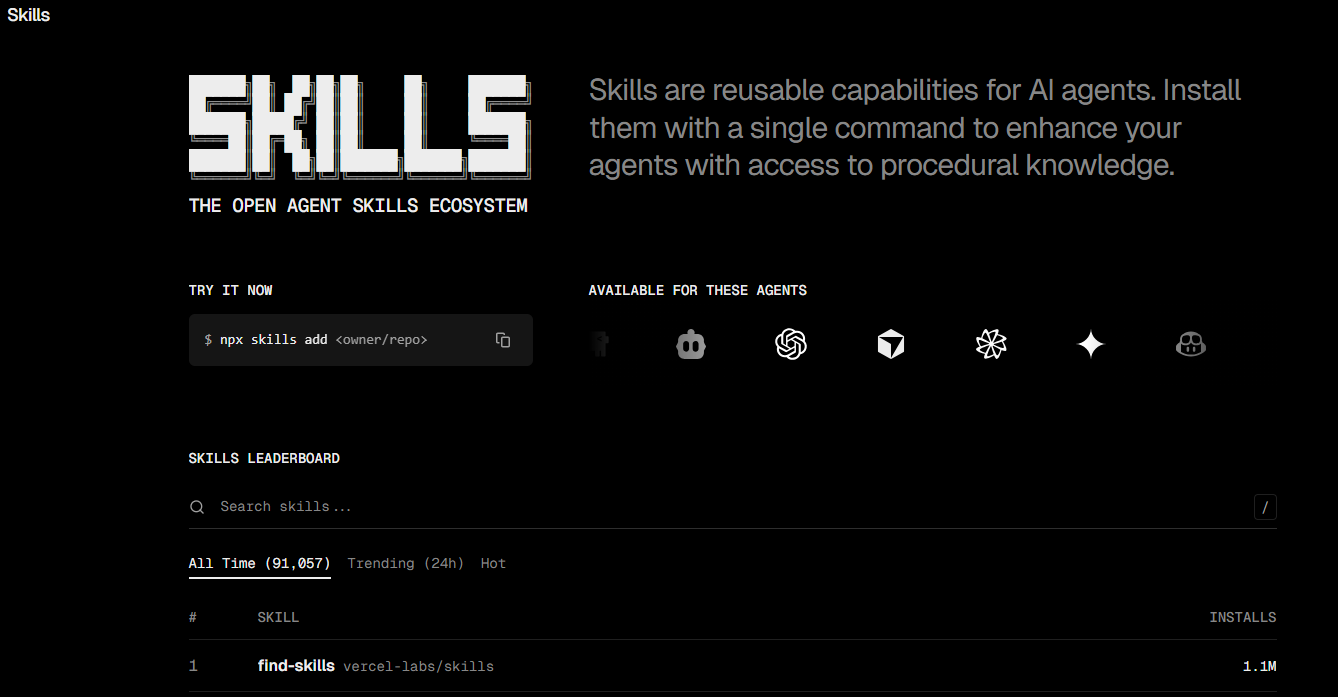
I recently discovered a Skills community marketplace: skills.sh, where the most-installed skill already has over 332.9k users. I went ahead and installed the entire Top 10 list, and I’m here to break them down for you.
In simple terms, it’s an app store for Skills. People package their work experience into a Skill, and you can install and use it with one click.
My first thought was: Finally, someone reliable is doing this.
The biggest hassle with using Skills before was having to write them yourself. While I’ve said “let the AI help you write it,” the prerequisite is that you know what you want and can articulate the requirements clearly.
But many people have no idea what Skills can do or what useful ones are out there for reference.
skills.sh solves exactly this: it lets you start using them first, then figure out the rest.
What is skills.sh?
skills.sh is an open Skills indexing and distribution platform, created by Vercel.
The website footer reads “Made with love by Vercel.” Vercel is a well-known Silicon Valley tech company; many large websites use their services, and I deploy my own static sites through Vercel. Their willingness to build this platform indicates that the Skills direction is being recognized. Moreover, being a product from a major company means the platform itself is reliable.
Of course, this also explains why the top spots on the leaderboard are occupied by Vercel’s own Skills—it’s their platform, so they naturally have a first-mover advantage. But the content is genuinely good.
The interface is simple: a leaderboard, sorted by installation count. Clicking on an entry shows the Skill’s description, source, and installation command.
The installation method is a one-line command, copy-pasted into the terminal:
npx skills add vercel-labs/agent-skillsI spent a few minutes installing all the Skills in the Top 10 leaderboard. In total, I installed 55 Skills (because some repositories contain multiple).
Below, I’ll break them down one by one, specifically noting which ones are useful for non-developers.
Top 10 Skills Breakdown
First, an overview: Out of the Top 10, 7 are for developers, and 3 are useful for product managers, operations, and designers.
I’ll pick out the ones worth discussing in detail; the others can be summarized in a table.
For Developers Only (7)
These 7 are all for coders. Non-developers can skip to the next section.
| Rank | Skill | Installs | What it’s for |
|---|---|---|---|
| 1 | vercel-react-best-practices | 332.9k | React/Next.js performance optimization, 57 rules |
| 2 | web-design-guidelines | 265.9k | Checks if web pages comply with design guidelines |
| 3 | remotion-best-practices | 254.2k | Best practices for creating videos with code |
| 5 | skill-creator | 157.9k | Official guide on how to create a Skill |
| 6 | building-native-ui | 30.4k | Expo mobile app development guide |
| 8 | better-auth-best-practices | 39.5k | Best practices for login/auth systems |
| 10 | upgrading-expo | 20.6k | Expo framework upgrade guide |
These Skills come from official teams like Vercel, Anthropic, and Expo, so their quality is solid. If you work on frontend, numbers 1 and 2 are pretty much essential.
Useful for Everyone (3)
These 3 are the most noteworthy in the Top 10, even if you don’t write code.
frontend-design (315.6k installs)
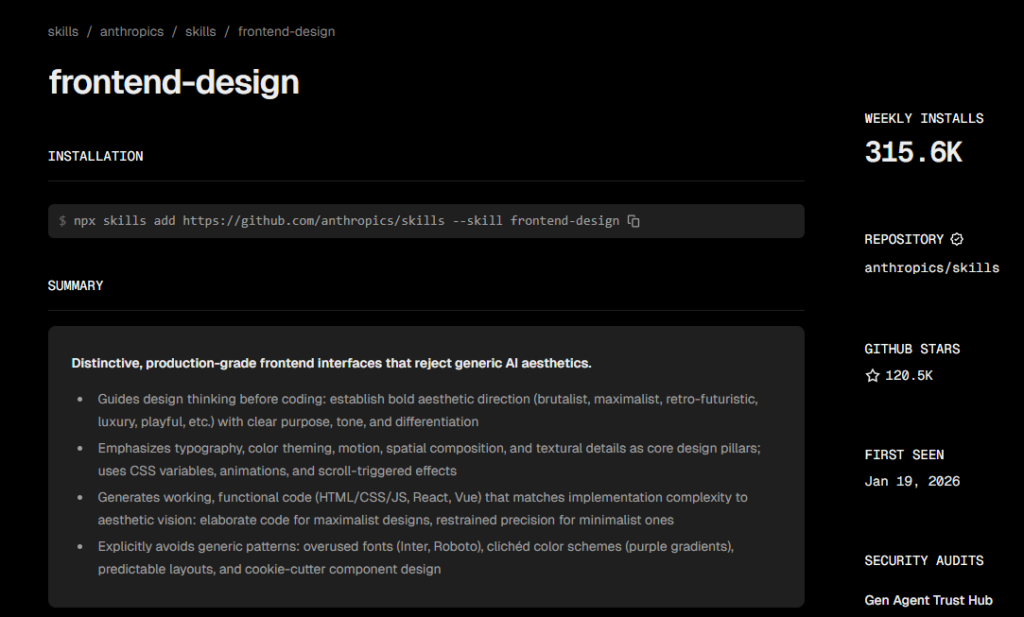
From Anthropic’s official team. The goal is simple: make the things Claude creates less “AI-looking.”
You’ve probably had this experience—asking Claude to help design a webpage or a PPT. The result works but lacks character; you can tell at a glance it was made by AI. This Skill is the cure.
It explicitly tells Claude what NOT to use:
- Don’t use “standard fonts” like Inter, Roboto, Arial (too generic).
- Don’t use purple gradients on white backgrounds (an AI favorite, now overused).
- Don’t use symmetrical layouts (breaking conventions creates design interest).
And it tells Claude what it SHOULD do:
- Choose distinctive fonts.
- Use color palettes with hierarchy: bold primary colors, sharp accent colors.
- Use animations sparingly; one well-designed page loading animation feels more sophisticated than elements moving everywhere.
The strength of this Skill is its “anti-pattern” approach. Claude actually knows what good design is, but it tends to be lazy. This Skill forces it to think.
agent-browser(196.4k installs)
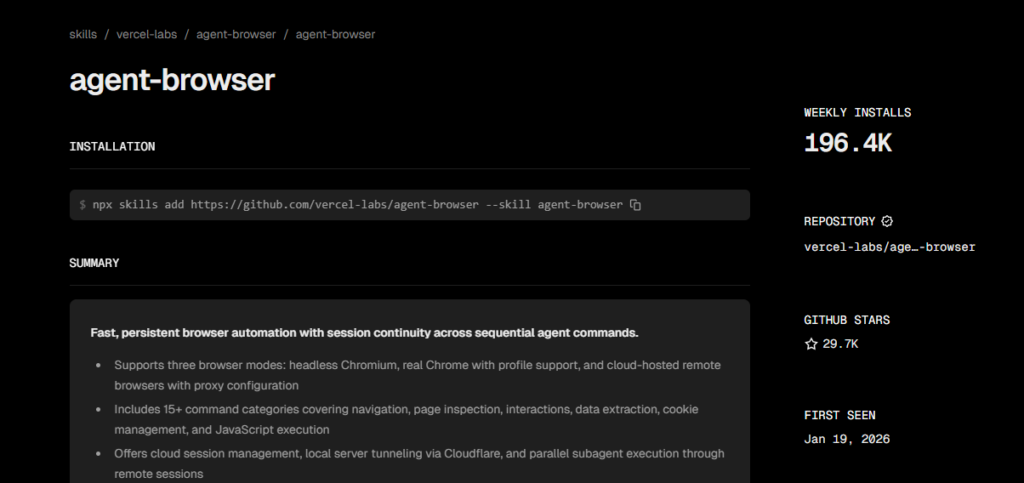
This Skill is different; it’s not a “knowledge base” but a “tool.” After installation, Claude can help you operate a browser:
- Automatically open web pages, click buttons, fill out forms.
- Take batch screenshots.
- Automatically log into websites (saves login state for next use).
- Record operation processes.
Example 1: You’re in operations and need to log into 5 platforms daily to check data. Previously, you had to open, log in, and screenshot each one manually. Now, Claude can automate this for you and finally organize the screenshots.
Example 2: You’re a product manager and want to see how a competitor’s feature performs across different pages. Claude can automatically open those pages, take screenshots, and compile them into a document.
This Skill demonstrates that Skills aren’t just for programmers. Automating web operations is useful for operations, testing, and product roles.
seo-audit(82.8k installs)
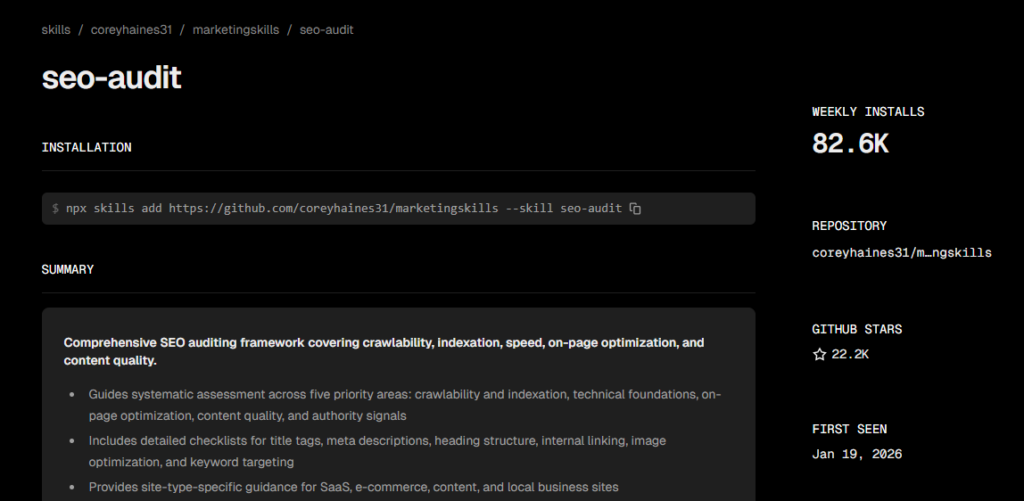
Finally, a Skill purely for operations/marketing.
This is a complete SEO audit framework that lets Claude check your website’s SEO health:
- Can Google find it? (Can crawlers access it? Is it indexed?)
- Is the site fast? (Loading speed affects ranking.)
- Is the content optimized? (Title, description, keyword placement.)
- Is the content quality sufficient? (Is it worth recommending?)
- Does it have credibility? (Backlinks, authority.)
Each dimension has a specific checklist. Claude will provide: What’s the problem → How big is the impact → How to fix it → Priority.
Anyone with a website can use this. No technical knowledge needed; just ask Claude, “Help me audit the SEO.”
Bonus Find: 23 Marketing Skills
The Top 10 is mostly developer-focused, but don’t worry.
During installation, I discovered a treasure trove: the coreyhaines31/marketingskills repository.
This repository contains 23 marketing-related Skills, covering everything from copywriting to pricing to ad campaigns.
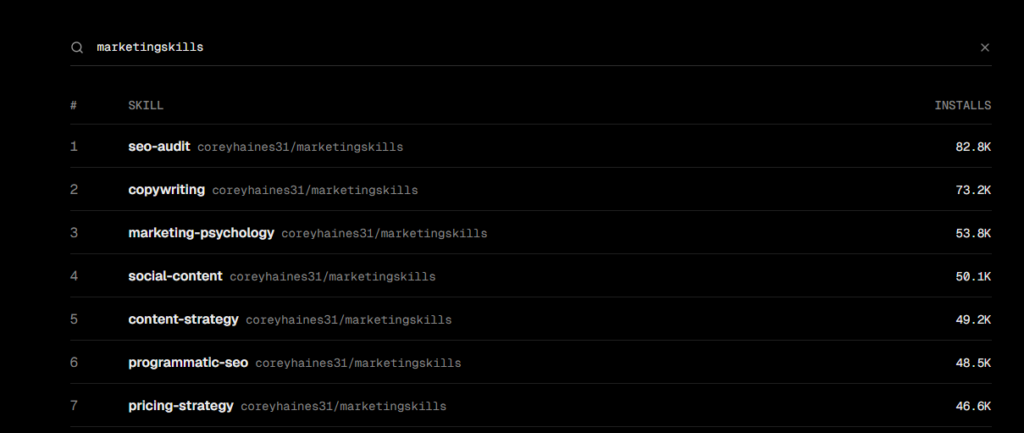
| Skill | Function | Suitable For |
|---|---|---|
copywriting | Marketing copywriting | Marketing, Operations |
copy-editing | Copy polishing/editing | Marketing, Operations |
pricing-strategy | Pricing strategy design | Product, Entrepreneurs |
launch-strategy | Product launch strategy | Product, Marketing |
seo-audit | SEO diagnosis | Operations, Indie Developers |
ab-test-setup | A/B test design | Product, Operations |
page-cro | Landing page conversion optimization | Operations, Growth |
signup-flow-cro | Signup flow optimization | Product, Growth |
email-sequence | Email marketing sequences | Marketing, Operations |
social-content | Social media content | Marketing, Operations |
paid-ads | Paid ad campaigns | Marketing |
referral-program | Referral program design | Growth, Product |
marketing-psychology | Marketing psychology | Marketing, Product |
Installation command:
npx skills add coreyhaines31/marketingskills --yes(Installs all 23 at once.)
My take: For those in product, operations, or marketing, this repository is more worth installing than the Top 10.
A Familiar Name: Baoyu’s Skills
While browsing the Top 100, I spotted some familiar names—Baoyu’s Skills (@dotey).
Baoyu is a prominent AI influencer on X, frequently sharing insights on using Claude Code. He has packaged his workflows into a bunch of Skills, available in the jimliu/baoyu-skills repository:
| Skill | Function | Installs |
|---|---|---|
baoyu-slide-deck | Slide deck generation | 972 |
baoyu-article-illustrator | Article illustration | 938 |
baoyu-cover-image | Cover image generation | 868 |
baoyu-xhs-images | Xiaohongshu (Little Red Book) images | 841 |
baoyu-comic | Comic generation | 822 |
baoyu-post-to-wechat | Post to WeChat | 752 |
baoyu-post-to-x | Post to X | 725 |
baoyu-infographic | Infographic generation | 480 |
These Skills are particularly friendly for Chinese users—Xiaohongshu images, posting to WeChat, article illustrations—all things we commonly use.
Installation command:
npx skills add jimliu/baoyu-skills --yesExtra suggestion: After installation, check out Baoyu’s shares on X. He often explains why these Skills are designed a certain way, what pitfalls he encountered, and how he fixed them. If you want to create your own Skills, his insights are quite helpful.
Another One: The Document Processing Quartet
The Anthropic official repository (anthropics/skills) contains 4 document processing Skills:
pdf— PDF reading, extraction, merging.docx— Word document processing.pptx— PPT generation and editing.xlsx— Excel processing.
These are useful for everyone. After installation, asking Claude to help you handle documents will feel much smoother.
Installation command:
npx skills add anthropics/skills --yesWhy You Should Check Out skills.sh
Let me highlight two practical benefits.
First, these Skills are genuinely useful.
The Skills ranking high on skills.sh have been actually installed and used by a large number of vibe coders. 332.9k installs aren’t faked; real people are using them.
These are people who use Claude Code daily to write code and build products. Their willingness to install indicates real utility.
Just follow along and install. You don’t need to judge “is this thing any good?”—the community has already filtered it for you.
Second, this is the best way to learn about Skills.
Many people have read my previous articles and understand what Skills are, but still don’t know how to start—how should they write their own Skill?
The best way to learn isn’t by啃ing documentation; it’s by seeing how others write them.
After installing a few popular Skills, ask Claude Code to help you interpret them:
“Help me read and explain the implementation logic of
~/.agents/skills/seo-audit/SKILL.md.”
Claude will tell you:
- How the Skill’s trigger conditions are written.
- How the instructions are organized.
- Why it’s structured in layers.
- Which design choices can be borrowed.
After looking at 3-5 well-written ones, you’ll understand:
- How a Skill should be organized.
- What a good Skill looks like.
- How to package your own workflow.
Starting with imitation is much easier than starting from scratch.
So my advice is: Install first, use first, look first, then think about whether you want to create your own.
Some Practical Suggestions
- Choose based on your role.
- Developer:
vercel-react-best-practices,anthropics/skills - Product Manager:
seo-audit, themarketingskillsrepository,agent-browser - Designer:
frontend-design,web-design-guidelines - Operations/Marketing: The
marketingskillsrepository (install all 23).
- Developer:
- Don’t be greedy. I installed 55 for writing this article. For daily use, selecting 3-5 high-frequency ones is enough. Installing too many means Claude has to load more at startup, which can still impact context.
- Pay attention to the source. Skills can contain executable scripts, so check who published them:
- ✅
anthropics/skills(Anthropic official) - ✅
vercel-labs(Vercel official) - ✅ Framework official (e.g.,
expo/skills) - ⚠️ Be cautious with personal repositories.
- ✅
- Use first, understand later. You don’t need to fully grasp the principles; just install one or two and start using them. You’ll only know if they’re good by trying them.
With the arrival of skills.sh, using Skills has become simpler
Previously, you had to write them yourself; now you can directly install others’. And it’s not just for programmers—there are Skills for marketing, product, and operations.
Go check out skills.sh, find one or two related to your work, and give them a try.
For example, if you’re in operations, install seo-auditand ask Claude: “Help me audit our official website’s SEO.”
If you’re in product, install pricing-strategyand ask Claude: “Help me analyze our product’s pricing strategy.”
You’ll know how useful they are once you try.
Oh, and although I’ve provided the installation commands above, the best practice is actually to just throw this article and the skills.sh URL to Claude Code, and use natural language to let it help you choose and install.